Issue Log:
A Practical Guide to Recording, Managing and Resolving Project Issues
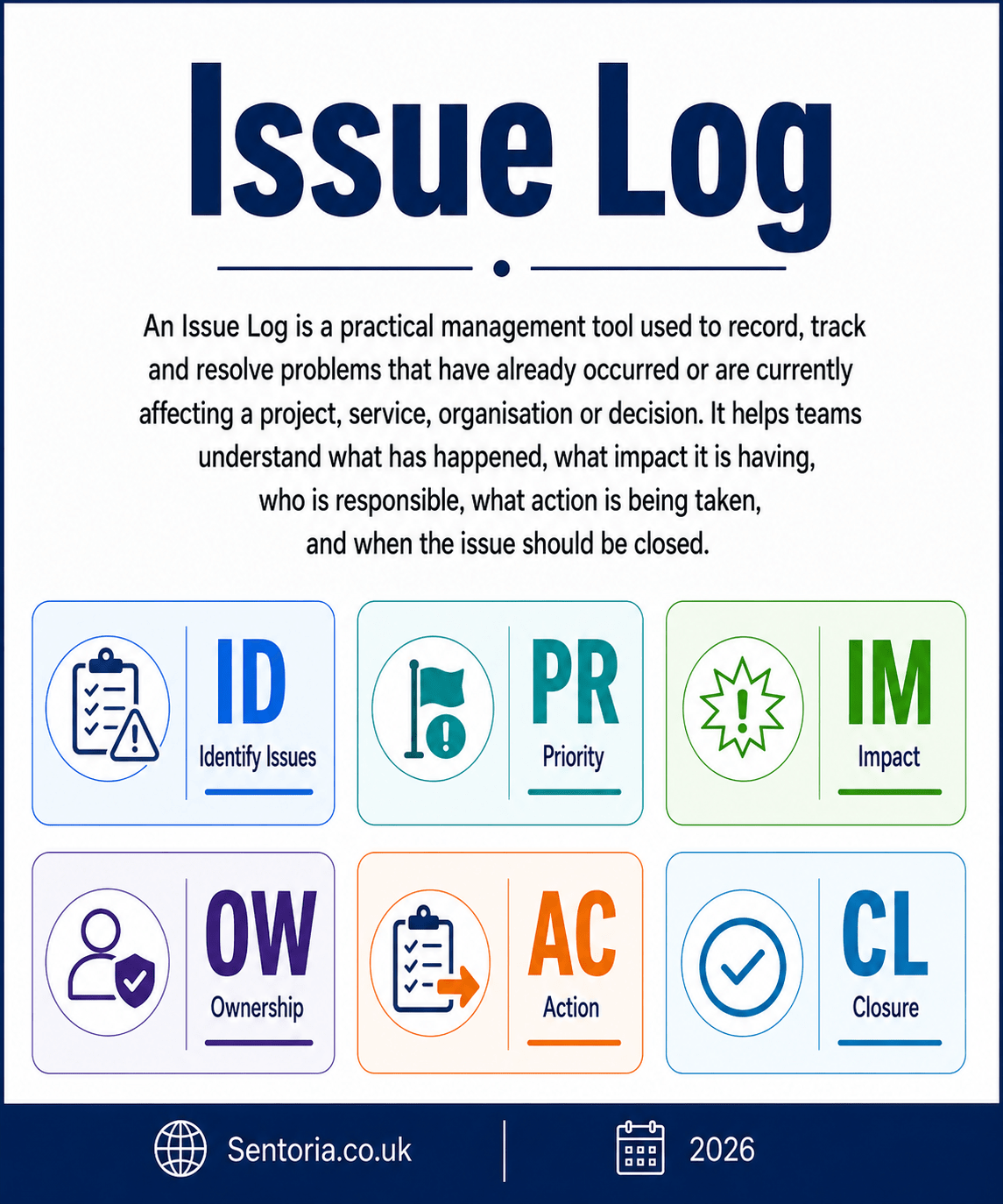
An issue log is a practical project and management tool used to record, track, manage and resolve problems that have already occurred or are currently affecting a project, service, organisation or decision.
At its simplest, an issue log asks:
What has happened, what impact is it having, who is responsible for resolving it, what action is being taken, and when will it be closed?
That makes it useful for project management, change programmes, business operations, construction, IT implementation, charity service delivery, public sector programmes, professional services, property management, manufacturing, events and board reporting.
The Association for Project Management describes an issue log as a record of issues raised during a project or programme, showing details of the issue, its evaluation, decisions made and current status. It also defines issue management as the process of identifying and addressing issues to remove the threats they pose.
Used properly, an issue log helps organisations move from informal problem-solving to clear ownership, action and accountability.
What is an issue log?
An issue log is a structured record of live issues.
An issue is something that has already happened, is currently happening, or is about to affect delivery if not addressed. PMI explains the key distinction clearly: an issue has already occurred, while a risk is a potential event that may or may not happen.
A typical issue log includes:
- Issue reference
- Date raised
- Raised by
- Issue description
- Issue category
- Priority
- Impact
- Owner
- Action required
- Action owner
- Target resolution date
- Status
- Escalation required
- Decision required
- Resolution
- Closure date
- Lessons learned
The purpose is not to create another spreadsheet for the sake of it. The purpose is to make active problems visible, managed and reviewable.
A good issue log should help answer:
- What problems are currently affecting delivery?
- Which issues are most urgent?
- Who owns each issue?
- What action is being taken?
- Which issues are overdue?
- Which issues need escalation?
- Which decisions are blocking progress?
- Which issues have been resolved?
- What lessons can be learned?
- What should be prevented from happening again?
The University of Essex’s project delivery guidance states that issues should be logged immediately, communicated to the project team and sponsor, and reviewed regularly through the project board or steering group where appropriate.
What is an issue?
An issue is a current problem that needs management attention.
It may affect:
- Time
- Cost
- Quality
- Scope
- Safety
- Compliance
- Resources
- Customers
- Service users
- Reputation
- Stakeholders
- Benefits delivery
- Project objectives
An issue might be small and easily resolved. It might also be serious enough to threaten the whole project or service.
Examples of issues include:
- A supplier has missed a delivery date.
- A key staff member has left.
- A system has failed during testing.
- A planning decision has been delayed.
- A customer has raised a formal complaint.
- A budget line has already been exceeded.
- A contractor has disputed responsibility.
- A regulatory deadline has been missed.
- A data error has affected reporting.
- A stakeholder has withdrawn support.
- A funding payment has not been received.
- A design assumption has proved wrong.
A useful issue description should be clear, specific and action-focused.
Weak issue description:
Supplier problem.
Stronger issue description:
The main supplier has failed to deliver critical materials due on 10 June, delaying production and creating a risk of late customer delivery.
The stronger version explains what has happened, why it matters and what may be affected.
History and development of issue logs
Issue logs developed from the wider discipline of project management.
As projects became more structured, organisations needed a way to record not only plans, risks and actions, but also problems that had already emerged. A project plan explains what should happen. A risk register identifies what might happen. An issue log records what has happened and needs resolution.
Project management bodies and methods now treat issue management as a core part of project control. APM includes issue log, issue management and issue register within its project management terminology, showing that issues should be captured, evaluated and tracked rather than handled informally.
PRINCE2-style project control also uses issue registers and issue reports to record issues, assess impact, prioritise response and resolve them through agreed procedures. Where an issue affects the project baseline, it may also need to be managed through change control.
The practical reason for this development is simple. Projects and organisations rarely fail because nobody noticed a problem. They often fail because the problem was noticed, discussed informally, but not owned, tracked, escalated or resolved in time.
The issue log exists to prevent that.
Issue log, risk register, action log and change log
Issue logs are often confused with other management tools.
They are related, but they are not the same.
Issue log
An issue log records problems that have already occurred or are currently affecting delivery.
It asks:
What has happened and what are we doing about it?
Risk register
A risk register records uncertain future events that may affect objectives.
It asks:
What might happen and how can we prevent, reduce or prepare for it?
PMI makes the distinction that issues require immediate action because they have already happened, while risks are potential future events that require planning and mitigation.
Action log
An action log records tasks that need to be completed.
It asks:
What needs doing, who will do it and by when?
Some issue actions may appear in an action log, but the issue log gives the wider context.
Change log
A change log records changes requested, approved, rejected or implemented.
It asks:
What change has been requested, what impact does it have and has it been approved?
Some issues lead to change requests. For example, if a design error is discovered, resolving it may require a formal change to scope, cost or programme.
Decision log
A decision log records key decisions made during a project or programme.
It asks:
What was decided, who decided it, when and why?
Some issues require decisions. The issue log should identify the decision required, while the decision log records the formal decision once made.
Why issue logs matter
Issue logs matter because unresolved issues create delay, confusion and risk.
In many organisations, problems are discussed in meetings, emails, phone calls and informal conversations. Everyone assumes someone is dealing with the problem, but nobody has clear ownership. The issue drifts until it becomes urgent.
An issue log reduces that risk by creating a clear record.
It supports:
- Visibility
- Ownership
- Accountability
- Prioritisation
- Escalation
- Communication
- Decision-making
- Project control
- Lessons learned
- Audit trail
A projectmanagement.com template note recommends keeping track of issues, especially where they cannot be solved quickly or where many issues arise in a short period. It also notes that resolved and unresolved issues can provide a useful reference for communication, stakeholder management and lessons learned.
That is an important point. An issue log is not only useful while an issue is live. It also helps the organisation understand patterns.
For example:
- Are the same types of issues recurring?
- Are particular suppliers causing repeated problems?
- Are decisions taking too long?
- Are project assumptions weak?
- Are resources consistently overstretched?
- Are risks becoming issues because controls are weak?
- Are lessons being learned or repeated?
A good issue log helps manage today’s problems and improve tomorrow’s planning.
When to use an issue log
An issue log is useful whenever active problems need to be recorded and managed.
Common uses include:
- Project management
- Programme management
- IT implementation
- Construction projects
- Property redevelopment
- Business change
- Service delivery
- Charity programmes
- Public sector projects
- Professional services engagements
- Product launches
- Events
- Audit response
- Compliance projects
- Customer complaint management
- Board action tracking
- Contract management
- Supplier management
- Software development
- Operational improvement
It is especially useful where issues involve several people, several decisions, dependencies, deadlines or escalation routes.
It is less useful if the matter is very minor and can be resolved immediately. However, even small issues may need recording if they reveal a pattern or have potential wider impact.
Issue logs in different industries
SMEs and owner-managed businesses
For SMEs, an issue log can be a simple but powerful management tool.
Small businesses often run on informal communication. That can work when the team is small, but it can create problems as the business grows.
Typical SME issues include:
- A customer has not paid as promised.
- A supplier has failed to deliver.
- A key employee is unavailable.
- A system is not producing accurate data.
- A customer complaint is unresolved.
- A tax or compliance deadline is close.
- A project is running late.
- A quote or order has been misunderstood.
- Stock is unavailable.
- Cash flow is under pressure.
For SMEs, the issue log should be practical and short. It should help the owner or management team see what needs attention now.
A simple issue log can prevent problems being hidden in email chains or forgotten after meetings.
Manufacturing
Manufacturing businesses can use issue logs to manage production, quality, supply chain and maintenance problems.
Typical manufacturing issues include:
- Machine breakdown
- Material shortages
- Late supplier delivery
- Quality defects
- Failed inspection
- Production bottlenecks
- Customer delivery delay
- Health and safety incident
- Stock discrepancy
- Packaging issue
- Labour shortage
- Maintenance delay
For manufacturing, an issue log should connect to production planning, quality control, maintenance, supplier review and customer communication.
The issue log should also help distinguish between one-off problems and recurring operational weaknesses.
Retail and ecommerce
Retail and ecommerce businesses face live issues around stock, customers, technology, delivery and returns.
Typical issues include:
- Website outage
- Payment processing failure
- Stock count error
- Supplier delay
- High return rate on a product
- Customer complaint spike
- Delivery partner failure
- Incorrect product information
- Marketplace account suspension
- Negative review trend
- Promotion error
- Pricing mistake
For ecommerce, an issue log is especially useful when several teams are involved, such as marketing, fulfilment, customer service, finance and technology.
A good issue log should show which issues are affecting customer experience, revenue, margin and reputation.
Professional services
Professional services firms can use issue logs for client work, internal projects, quality control and deadline management.
Typical issues include:
- Missing client information
- Missed internal deadline
- Client complaint
- Scope disagreement
- Fee dispute
- Conflict of interest
- Staff capacity problem
- Software failure
- Review point unresolved
- Filing deadline risk now materialised
- Engagement letter not completed
- Technical query requiring escalation
For accountants, solicitors, consultants, architects and advisers, an issue log can help manage work in progress, client expectations and professional risk.
It can also support quality reviews by showing recurring issues, such as poor onboarding, incomplete information requests or repeated deadline pressure.
Charities and voluntary organisations
Charities can use issue logs to manage service delivery, funding, governance, safeguarding follow-up and operational problems.
Typical charity issues include:
- Funding payment delayed
- Volunteer shortage
- Service user complaint
- Referral backlog
- Staff sickness affecting service capacity
- Safeguarding concern requiring action
- Reporting deadline missed
- Venue unavailable
- Partner organisation not delivering
- Trustee decision delayed
- IT system failure
- Project output behind schedule
For charities, an issue log should not replace safeguarding records, case records or formal governance documentation. However, it can help management and trustees track organisational issues that affect delivery, funding, service quality and accountability.
Public sector and local government
Public bodies often manage complex projects and services involving many stakeholders, statutory duties and public expectations.
Typical public sector issues include:
- Contractor underperformance
- Budget overspend
- Service backlog
- Data quality problem
- Public complaint escalation
- Legal challenge received
- Consultation delay
- Supplier dispute
- System implementation failure
- Staff capacity problem
- Missed reporting deadline
- Policy decision delayed
For public bodies, issue logs support governance, transparency, escalation and audit trail.
They are especially important where decisions involve public money, statutory obligations, residents, service users or elected members.
Property and construction
Property and construction projects are issue-heavy because they involve planning, finance, design, contractors, utilities, legal matters and stakeholders.
Typical issues include:
- Planning delay
- Contractor dispute
- Unexpected site condition
- Utility connection delay
- Cost variation
- Access restriction
- Tenant objection
- Health and safety incident
- Design discrepancy
- Building control query
- Material shortage
- Programme slippage
For property and construction, an issue log should link to programme management, cost control, risk register, change control, professional advice and stakeholder communication.
Many construction issues have cost, time and legal implications, so ownership and escalation must be clear.
Technology and software
Technology projects rely heavily on issue tracking.
Typical technology issues include:
- Bug discovered in testing
- User acceptance failure
- Data migration error
- Integration issue
- Security vulnerability
- System outage
- Performance problem
- Supplier delay
- Scope misunderstanding
- User adoption issue
- Access permission problem
- Documentation gap
In software teams, issue logs may exist in specialist tools such as Jira, Azure DevOps, Trello, Asana or GitHub Issues.
The principle is the same: record the problem, assess priority, assign ownership, track action and close when resolved.
Healthcare and social care
Healthcare and social care issue logs must be used carefully because safety, safeguarding, dignity and regulation matter.
Typical issues include:
- Staffing gap
- Medication recording problem
- Safeguarding action outstanding
- Complaint unresolved
- Care plan update delayed
- Poor handover
- Equipment fault
- Data access issue
- Training compliance gap
- Inspection action overdue
- Family communication concern
- Service continuity issue
An issue log should not replace clinical records, safeguarding records or incident reporting systems. However, it can help managers track operational issues that need resolution.
In this sector, escalation should be prompt where safety or safeguarding is involved.
Education and training
Education and training providers can use issue logs for course delivery, learner support, safeguarding actions, funding compliance and operational management.
Typical issues include:
- Tutor absence
- Learner complaint
- Attendance problem
- Assessment delay
- Safeguarding follow-up
- Platform access problem
- Employer placement issue
- Funding evidence missing
- Course material error
- Room or equipment problem
- Quality action overdue
- Accreditation query
For education, issue logs should link to learner outcomes, safeguarding, quality assurance and compliance.
How to create an issue log properly
1. Define the purpose
Start by deciding what the issue log is for.
It may cover:
- A project
- A programme
- A department
- A service
- A board action process
- A construction scheme
- An IT implementation
- A funding project
- A client engagement
- An operational improvement plan
The scope matters.
A project issue log should focus on issues affecting the project. An organisational issue log may focus on wider management problems. A service issue log may focus on delivery, quality and user experience.
2. Decide what counts as an issue
Not every minor irritation needs to be logged.
Define what should be recorded.
Examples include:
- Anything affecting time, cost, quality or scope
- Anything requiring escalation
- Anything requiring a decision
- Anything affecting customers or service users
- Anything affecting safety or compliance
- Anything blocking progress
- Anything requiring cross-team action
- Anything that may create reputational concern
- Anything that has missed a deadline
- Anything that may lead to a change request
This keeps the log useful and prevents it becoming cluttered.
3. Create a clear template
A useful issue log should include:
- Issue ID
- Date raised
- Raised by
- Description
- Category
- Priority
- Impact
- Owner
- Action required
- Action owner
- Target resolution date
- Status
- Escalation required
- Decision required
- Resolution
- Closure date
- Lessons learned
Keep it simple enough that people will actually use it.
4. Write clear issue descriptions
A good issue description should explain:
- What has happened
- Why it matters
- What it affects
- What action may be needed
Use specific language.
Weak description:
IT problem.
Stronger description:
The finance reporting dashboard is not pulling current debtor data, meaning the management team cannot rely on the weekly cash collection report.
That gives the owner enough information to act.
5. Categorise issues
Categories help identify patterns.
Possible categories include:
- Scope
- Time
- Cost
- Quality
- Resource
- Supplier
- Technical
- Legal
- Compliance
- Stakeholder
- Customer
- Data
- Finance
- Health and safety
- Safeguarding
- Governance
Categories make it easier to spot recurring weaknesses.
For example, if many issues are supplier-related, procurement or supplier management may need review.
6. Prioritise issues
Not all issues require the same attention.
A simple priority scale may be:
- Low
- Medium
- High
- Critical
Priority should reflect:
- Urgency
- Impact
- Deadline pressure
- Safety or safeguarding concern
- Financial impact
- Customer or service user impact
- Reputational impact
- Strategic importance
- Whether a decision is required
- Whether the issue blocks other work
High-priority issues should receive regular review and clear escalation.
7. Assign ownership
Every issue needs an owner.
The issue owner is responsible for making sure the issue is progressed.
That does not mean they must personally do everything. It means they are accountable for keeping the issue visible, coordinated and moving towards resolution.
For each issue, record:
- Issue owner
- Action owner
- Escalation route
- Review date
No owner usually means no progress.
8. Agree actions and deadlines
The issue log should not only record the problem.
It should record what is being done.
For each issue, define:
- Immediate action
- Further investigation required
- Decision required
- Person responsible
- Target date
- Dependencies
- Escalation point
- Success criteria
An issue without action is just a complaint.
9. Review regularly
The issue log should be reviewed at an agreed frequency.
That may be:
- Daily for urgent operational issues
- Weekly for active projects
- Fortnightly for programme boards
- Monthly for management meetings
- Quarterly for board reporting
The University of Essex guidance states that issue progress should be reviewed regularly through the project board or steering group, with a working group used where severity requires closer control.
A review should ask:
- What has changed?
- Are actions on track?
- Is the issue still open?
- Does it need escalation?
- Is a decision required?
- Is the priority still correct?
- Has the issue created a new risk?
- Can it be closed?
- What lesson should be recorded?
- Is there a recurring pattern?
10. Close issues properly
An issue should not disappear from the log just because discussion has moved on.
Close it only when:
- The action has been completed.
- The issue has been resolved.
- The owner agrees closure.
- Any decision has been recorded.
- Any related change has been captured.
- Any lesson learned has been noted.
- Any remaining risk has been transferred to the risk register.
Keeping a record of closed issues helps with audit trail, lessons learned and future planning.
Common mistakes in issue logs
Mistake 1: Confusing risks and issues
A risk may happen.
An issue has happened.
This distinction matters because the response is different. Risks need prevention or mitigation. Issues need resolution.
Mistake 2: Logging vague issues
Vague entries such as “supplier issue” or “staff problem” do not help.
The issue should explain what happened, why it matters and what is affected.
Mistake 3: No owner
An issue without an owner is unlikely to be resolved.
Ownership should be clear.
Mistake 4: No deadline
Issues drift when there is no target resolution date.
Even if the final resolution date is uncertain, the next action should have a deadline.
Mistake 5: Treating the issue log as a complaints list
An issue log is not just a place to record frustration.
It is a management tool for action and resolution.
Mistake 6: Recording too much detail
An issue log should be clear and useful.
It should not become so detailed that nobody updates it.
Supporting documents can be linked separately.
Mistake 7: Not escalating serious issues
Some issues cannot be solved at project team level.
They may need sponsor, board, trustee, client, funder or senior management decisions.
Mistake 8: Leaving resolved issues open
Old open issues make the log difficult to use.
If an issue is resolved, close it properly.
Mistake 9: Deleting closed issues
Deleting closed issues loses useful history.
Closed issues can help with lessons learned, audit trail and future planning. Projectmanagement.com notes that documented solved and unsolved issues can provide useful reference material for communication, stakeholder management and lessons learned.
Mistake 10: Not learning from recurring issues
If similar issues keep appearing, the organisation should ask why.
The issue log should feed improvement.
Limitations and weaknesses of issue logs
Issue logs are useful, but they have limits.
They can become administrative
If the log is too complex, people may stop updating it.
The format should be proportionate.
They can record problems without solving them
A log does not resolve anything by itself.
Progress depends on ownership, action and review.
They can create false confidence
A neat issue log may make management feel in control, even if actions are overdue or owners lack authority.
They can become too reactive
Issue logs deal with problems that have already happened.
They should be linked to risk management so that recurring issues are prevented in future.
They can hide priority if too long
A log with too many low-level entries can bury the important issues.
Prioritisation is essential.
They can become political
In some organisations, people avoid logging issues because they fear blame.
A good issue culture should focus on resolution and learning, not punishment.
They do not replace decision-making
Some issues require senior decisions.
The issue log can highlight that, but it cannot make the decision.
They do not replace specialist records
An issue log should not replace safeguarding records, health and safety incident records, legal files, clinical notes, audit reports or complaint systems where those are required.
Issue log compared with other strategic and management tools
Issue log and risk register
A risk register records uncertain future events.
An issue log records current problems.
Use the risk register to prevent or prepare.
Use the issue log to resolve and control.
Issue log and risk matrix
A risk matrix helps score risks by likelihood and impact.
An issue log may use priority or severity scoring, but it is focused on active issues rather than uncertain future risks.
Issue log and action log
An action log records tasks.
An issue log records problems and the actions needed to resolve them.
Some issue actions may also appear in an action log.
Issue log and decision log
A decision log records decisions made.
An issue log records issues that may require decisions.
Once a decision is made, it should be captured in the decision log if it is important.
Issue log and change log
A change log records requested and approved changes.
Some issues lead to change requests.
For example, if a design error is discovered, the issue may require a formal change in scope, cost or time.
Issue log and lessons learned log
A lessons learned log records learning for future work.
Closed issues are a valuable source of lessons.
Issue log and project plan
A project plan shows planned work.
An issue log records problems affecting that plan.
A serious issue may require the project plan to be updated.
Issue log and stakeholder analysis
Some issues involve stakeholders.
For example, a funder concern, local objection, customer complaint or internal disagreement may require stakeholder engagement as part of the resolution.
Issue log and OKRs
OKRs define objectives and measurable key results.
An issue log can track problems that may prevent those OKRs being achieved.
Issue log and Balanced Scorecard
A Balanced Scorecard tracks strategic performance.
An issue log can capture current problems affecting financial, customer, internal process, or learning and growth objectives.
Alternatives and complementary frameworks
Risk register
Use a risk register for future risks that may affect objectives.
Best used alongside an issue log so risks and issues are managed separately but connected.
Action log
Use an action log to track tasks from meetings, reviews and projects.
Best used where tasks do not need the full context of an issue.
Decision log
Use a decision log to record important decisions.
Best used where governance, audit trail or accountability matters.
Change log
Use a change log where changes to scope, budget, timeline or requirements need formal control.
Best used in projects, software, construction and formal programmes.
Lessons learned log
Use a lessons learned log to capture what should be repeated or avoided in future.
Best used at project milestones and closure.
Escalation report
Use an escalation report where an issue needs senior intervention.
Best used for critical issues, blocked decisions or matters outside delegated authority.
Root cause analysis
Use root cause analysis where issues repeat or where the underlying cause is not clear.
Best used for quality, operational, safety, customer and technical issues.
Incident report
Use an incident report where a specific event has occurred, especially in health and safety, safeguarding, cyber security or compliance.
Best used where formal reporting and investigation are required.
A practical issue log template
A useful issue log should include:
- Issue ID
- Date raised
- Raised by
- Issue title
- Issue description
- Category
- Priority
- Impact
- Current status
- Issue owner
- Action required
- Action owner
- Target resolution date
- Escalation required
- Decision required
- Latest update
- Resolution
- Closure date
- Lessons learned
- Link to related risk, change or decision
Example:
Issue ID: I001
Date raised: 15 June 2026
Issue title: Supplier delivery delay affecting project installation
Description: The main supplier has confirmed that critical equipment due on 20 June will not arrive until 5 July, delaying installation and affecting the project completion date.
Category: Supplier
Priority: High
Impact: Programme delay, potential cost increase and stakeholder dissatisfaction.
Issue owner: Project Manager
Action required: Confirm alternative supply options, assess programme impact and prepare revised delivery plan.
Action owner: Procurement Lead
Target resolution date: 18 June 2026
Escalation required: Yes, if alternative supply cannot be confirmed.
Status: Open
Resolution: To be completed.
Lesson learned: Supplier lead times and contingency options should be reviewed earlier for critical items.
Questions to ask when reviewing an issue log
Issue identification questions
- What has happened?
- When did it happen?
- Who raised it?
- What does it affect?
- Is it genuinely an issue, or is it a risk?
- Is the description clear?
- Is the issue within the project or service scope?
- Does it need immediate action?
- Is it linked to another issue?
- Has anything similar happened before?
Impact questions
- Does it affect time?
- Does it affect cost?
- Does it affect quality?
- Does it affect scope?
- Does it affect safety or safeguarding?
- Does it affect customers or service users?
- Does it affect compliance?
- Does it affect reputation?
- Does it affect benefits delivery?
- Does it require escalation?
Ownership questions
- Who owns the issue?
- Is the owner the right person?
- Does the owner have authority to act?
- Who owns the next action?
- Are dependencies clear?
- Is senior support required?
- Is a decision needed?
- Who must be kept informed?
- Is the escalation route clear?
- Is the deadline realistic?
Resolution questions
- What action is being taken?
- Is the action enough?
- Is the issue improving?
- Is the issue blocked?
- What decision is required?
- What further information is needed?
- What is the target resolution date?
- What happens if it is not resolved?
- Can it be closed?
- What lesson should be recorded?
Governance questions
- Who reviews the issue log?
- How often is it reviewed?
- Which issues are reported to the sponsor, board or trustees?
- How are critical issues escalated?
- How are decisions recorded?
- How are changes captured?
- How are lessons learned captured?
- Is the issue log up to date?
- Are old issues being closed?
- Is the issue log improving management control?
The best way to think about an issue log
An issue log is not just a list of problems.
It is a tool for control, communication and resolution.
A good issue log should be:
- Clear
- Current
- Prioritised
- Owned
- Action-focused
- Reviewed regularly
- Linked to decisions
- Linked to escalation
- Linked to lessons learned
- Proportionate to the work being managed
A weak issue log says:
“Here are the problems.”
A strong issue log asks:
“What is happening, who owns it, what action is being taken, and what decision or escalation is needed to resolve it?”
The key question is not simply:
What issues do we have?
The better question is:
Which issues are blocking progress, what are we doing about them, and who is accountable for resolution?
Conclusion: an issue log turns live problems into managed action
An issue log remains useful because every project, service and organisation encounters problems.
The issue itself is not always the biggest danger. The bigger danger is lack of ownership, slow escalation, unclear decisions and poor follow-up.
Used badly, an issue log becomes a long list of complaints that nobody reads.
Used properly, it becomes a practical management tool. It helps teams identify problems early, prioritise attention, assign ownership, track action, escalate decisions and learn from what happened.
The real value is not in recording the issue.
The real value is in resolving it.
A strong issue log helps an organisation move from saying, “There is a problem,” to asking, “What is the impact, who owns it, what action is being taken, and when will it be resolved?”